Bidding strategy is one of the most consequential decisions in Google Ads management, and for B2B companies with long sales cycles, it is also the most frequently misconfigured. The default Google recommendation is to use automated Smart Bidding strategies, which is the right advice for campaigns with sufficient conversion data. But most B2B companies with sales cycles of 60 days or longer lack the conversion volume those automated strategies need to function efficiently.
The result is a silent performance trap. The campaign uses the wrong google ads bidding strategies b2b context demands, the algorithm optimises toward the wrong signal, CPL creeps upward, and the business concludes that Google Ads is not working when the real problem is a bidding strategy misconfiguration. This guide covers the 5 bidding strategies that actually work for B2B long sales cycles, in the correct order of implementation. If you are also dealing with structural campaign issues beyond bidding, our breakdown of Google Ads mistakes that kill B2B campaigns covers the full picture.
| Key TakeawaysManual CPC is the correct starting strategy for B2B campaigns with fewer than 30 conversions per monthEnhanced CPC is the right transition step between manual control and full automationTarget CPA requires a minimum of 30 conversions per month and accurate conversion tracking to function correctlyTarget ROAS is the most powerful strategy for B2B but requires CRM-to-Google Ads offline conversion integrationMaximize Conversions is useful for new campaigns to spend full budget but should not be used without a CPA capThe biggest bidding mistake in B2B is switching to Smart Bidding before the campaign has sufficient conversion data |
Why Standard Bidding Advice Fails for B2B Long Sales Cycles
Google’s Smart Bidding strategies, Target CPA, Target ROAS, Maximize Conversions, and Enhanced CPC, are machine learning models that require conversion signals to optimise effectively. For B2B companies with 30-day, 60-day, or 90-day sales cycles and relatively low lead volumes, these models often have insufficient data to make intelligent bid decisions.
When a Smart Bidding strategy lacks conversion data, it falls back to proxy signals: click-through rate, page engagement, and historical account patterns. These proxies are not correlated with B2B lead quality. The algorithm will optimise toward cheap clicks, not valuable buyers, because it cannot distinguish between a CFO who downloaded your whitepaper and a student who clicked the wrong ad.
The solution is not to avoid automation entirely but to implement bidding strategies in the right sequence, matching the strategy to the campaign’s actual conversion data volume. This sequencing principle applies across channels. For B2B companies running both Google Ads and LinkedIn Ads simultaneously, the same data-volume-first logic governs effective bid management on both platforms.
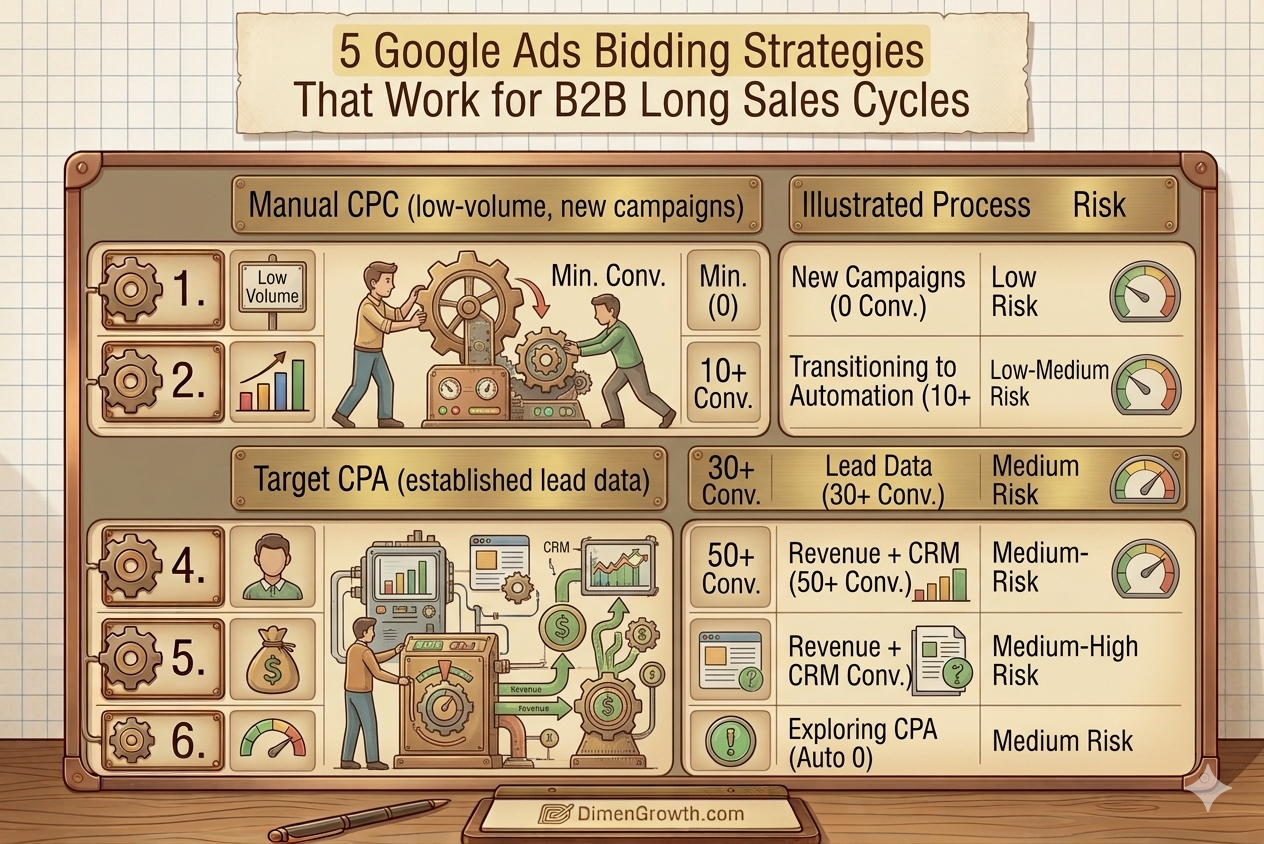
| Bidding Strategy | Best For | Min. Conversions/Month | Sales Cycle Fit | Risk Level |
|---|---|---|---|---|
| Manual CPC | New campaigns, low volume | 0 | Any length | Low |
| Enhanced CPC (eCPC) | Transitioning to automation | 10+ | Any length | Low-Medium |
| Target CPA | Established campaigns with lead data | 30+ | Short to medium | Medium |
| Target ROAS | Revenue-focused with CRM integration | 50+ | Any with CRM data | Medium-High |
| Maximize Conversions | Spending full budget, exploring CPA | 0 (auto) | Short-medium | Medium |
The 5 Google Ads Bidding Strategies for B2B Long Sales Cycles
Strategy 1: Manual CPC – The Right Starting Point for Low-Volume B2B Campaigns
When to use it: New campaigns, campaigns generating fewer than 30 conversions per month, and accounts where conversion tracking accuracy is uncertain.
Manual CPC gives you complete control over how much you bid on each keyword. You set the maximum cost per click at the keyword level, and Google charges up to that amount per click in the auction. There is no algorithmic optimisation, no machine learning, and no dependency on conversion data volume. What you set is what you pay.
For B2B companies with long sales cycles and low monthly conversion volumes, this is not a limitation. It is an advantage. You can set bids based on your knowledge of keyword value relative to your sales process: bid higher on decision-stage keywords like “enterprise CRM software pricing,” bid lower on consideration-stage keywords like “best CRM for B2B sales teams,” and bid minimally on informational keywords you include for remarketing list building.
Manual CPC also gives you the cleanest baseline data for evaluating campaign performance. When a campaign switches from manual to automated bidding, performance changes are a combination of bid strategy effects and the algorithm’s optimisation choices, making it harder to isolate which element drove any improvement. Starting manual, establishing your CPL benchmark, and then transitioning to automation creates a clean before-and-after comparison. Our Google Ads agency in Dubai uses Manual CPC for all new B2B accounts during the first 60 days of management before any automation is introduced.
- Implementation: Set keyword bids based on estimated commercial value. Decision-stage keywords get 2 to 3 times the bid of awareness-stage keywords.
- Bid adjustment levers: Use device, location, audience, and time-of-day bid adjustments to refine delivery within the manual framework
- Exit trigger: Transition to Enhanced CPC when you have 10 or more conversions per month. Transition to Target CPA when you have 30 or more.
- Monitoring cadence: Review keyword-level performance weekly. Adjust bids based on CPL by keyword, not just average account CPL.
Strategy 2: Enhanced CPC (eCPC) – The Bridge Between Manual and Automation
When to use it: Campaigns generating 10 to 30 conversions per month that are ready to introduce automation but lack sufficient data for full Smart Bidding.
Enhanced CPC modifies your manual keyword bids in real time based on Google’s prediction of conversion probability for each individual auction. If Google’s model predicts a specific click is more likely to convert than average, it increases your bid by up to 30 percent. If it predicts a click is less likely to convert, it decreases your bid. The baseline bid is still yours to set; the algorithm applies incremental adjustments within a bounded range.
For B2B long sales cycles, eCPC is the most appropriate middle step because it begins to incorporate machine learning signals without the full dependency on conversion volume that Target CPA requires. The algorithm learns from whatever conversion signals are available, including micro-conversions like time on site and page depth if configured, while your manual bids maintain a floor on cost control.
One important configuration point for B2B: if you are using eCPC alongside a broad negative keyword strategy (which you should be, see our 101 negative keywords for B2B Google Ads in the UAE for the full list), the combination of negative keyword filtering and eCPC adjustment creates a more qualified traffic pool for the algorithm to learn from, accelerating the path to effective Smart Bidding.
- Activation: In campaign settings, change bid strategy from Manual CPC to Enhanced CPC
- Conversion signal quality: eCPC performs better when conversion tracking is precise. Ensure you are tracking form submissions, not just page views.
- Exit trigger: Transition to Target CPA when monthly conversions consistently exceed 30 per campaign
- Time to evaluate: Allow 3 to 4 weeks after switching to eCPC before assessing performance change
Strategy 3: Target CPA – The Core Smart Bidding Strategy for B2B Pipeline
When to use it: Campaigns generating 30 or more conversions per month with accurate conversion tracking in place and a validated CPL target derived from real pipeline data.
Target CPA tells Google’s algorithm the average cost per conversion you are willing to pay, and the algorithm adjusts bids in real time across every auction to deliver as many conversions as possible at or below that target. Unlike Manual CPC where you set individual keyword bids, Target CPA sets bids dynamically based on the predicted conversion probability of each click, considering hundreds of signals including device, location, time, audience membership, and search context.
For B2B long sales cycles, the critical configuration question is what conversion event to optimise toward. The most common mistake is optimising Target CPA toward form submissions without filtering for lead quality. If your campaign generates 40 form submissions per month but 25 of them are spam, chatbot test submissions, or clearly unqualified leads, the algorithm is optimising toward a mixed-quality signal that will gradually lower your lead quality as it chases cheaper conversions.
The solution is to import qualified lead status from your CRM as an offline conversion event and use that as your Target CPA conversion goal, or to set a micro-conversion with a higher qualification threshold (such as a booked meeting or a completed phone call over two minutes) as the primary bidding signal. Our B2B Google Ads agency implements CRM-to-Google Ads offline conversion import for every managed account to ensure Target CPA optimises toward pipeline value, not raw form submission volume.
- Target CPA calculation: Start with your actual CPL from the manual CPC phase. Set Target CPA at that level. Lower it by 10 to 15 percent every 3 to 4 weeks as performance allows.
- Conversion quality filter: Import CRM lead qualification status as an offline conversion to give the algorithm a quality signal, not just a volume signal
- Learning period: Allow 2 to 3 weeks after activating Target CPA before evaluating performance. Do not make major changes during the learning period.
- Portfolio strategy: Consider applying Target CPA at the portfolio level across multiple related campaigns to pool conversion data and accelerate algorithmic learning
Strategy 4: Target ROAS – The Most Powerful Strategy for Revenue-Focused B2B
When to use it: Campaigns where CRM-to-Google Ads offline conversion integration is in place, allowing the algorithm to see actual revenue attributed to clicks, not just lead count.
Target ROAS (Return on Ad Spend) tells Google’s algorithm the revenue return you want for every dollar or dirham spent on ads. Instead of optimising toward a cost-per-conversion, the algorithm optimises toward revenue value, bidding more aggressively for clicks that are predicted to generate high-value conversions and less aggressively for clicks predicted to generate low-value conversions.
For B2B long sales cycles, Target ROAS is the most powerful bidding strategy available because it aligns Google’s optimisation objective with your actual business outcome: revenue. But it requires a level of technical implementation that most B2B advertisers have not completed. You need to import closed deal revenue from your CRM back into Google Ads as an offline conversion value, with enough historical data that the algorithm can identify patterns between search signals and eventual deal size.
The implementation path is: Google Ads conversion tracking for lead form submissions, CRM tagging of every lead with its Google Ads click ID (GCLID), import of deal closure and revenue data from CRM back to Google Ads via offline conversion import or the Google Ads API, and then activation of Target ROAS once sufficient revenue data is imported. For B2B companies also running LinkedIn Ads for demand generation at the top of funnel, Target ROAS on Google Ads can be calibrated to reflect the revenue attributed specifically to Google Ads last-touch or data-driven attribution, keeping the channel’s performance metrics clean.
- Minimum requirement: 50 or more conversion events with revenue values imported per month for the algorithm to function effectively
- ROAS target setting: Start with your actual historical ROAS from the Target CPA phase. Do not set an aspirational ROAS that the campaign has not yet demonstrated.
- Revenue value import: Use Google’s offline conversion import API or a CRM connector tool (HubSpot, Salesforce, Pipedrive all have native Google Ads integrations)
- Long sales cycle adjustment: Set the conversion window to match your actual sales cycle length. For 90-day cycles, set a 90-day conversion window in campaign settings.
Strategy 5: Maximize Conversions – A Useful Exploration Tool With an Important Caveat
When to use it: New campaigns that need to spend their full budget during the learning phase, or campaigns being transitioned from manual to Smart Bidding that lack the conversion volume for Target CPA.
Maximize Conversions tells Google’s algorithm to generate as many conversions as possible within your daily budget, without a specific cost-per-conversion target. The algorithm will spend your entire budget every day and adjust bids dynamically to maximise conversion volume. There is no CPL control built in unless you add a Target CPA constraint.
For B2B long sales cycles, Maximize Conversions without a Target CPA constraint is a risk. The algorithm will optimise for volume, which in a B2B context can mean accepting a wide range of lead quality to hit conversion numbers. It may deliver more leads at a lower average quality than Target CPA would produce.
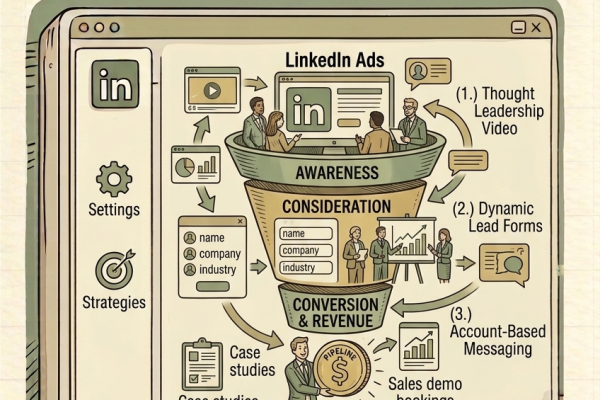
The correct use of Maximize Conversions for B2B is as a transitional strategy: use it for the first 3 to 4 weeks of a new campaign to ensure full budget delivery and begin accumulating conversion data, then add a Target CPA constraint once you have an initial CPL benchmark. This combines the budget deployment reliability of Maximize Conversions with the cost control of Target CPA. For B2B companies running extended sales cycles similar to the LinkedIn funnel strategies we cover in our guide on LinkedIn ads funnel strategies for long sales cycles, this transitional bidding approach mirrors the funnel-stage-appropriate optimisation principle across both channels.
- Caveat: Always add a Target CPA constraint (Max CPA field in campaign settings) when using Maximize Conversions for B2B to prevent unbounded CPL growth
- Use case: New campaign launch (weeks 1 to 4), then transition to Target CPA once conversion data exists
- Budget consideration: Maximize Conversions will spend your full daily budget. Set a conservative daily budget during the learning phase.
- Exit trigger: Move to Target CPA once the campaign has 15 or more conversions and a CPL benchmark is established
The B2B Bidding Strategy Progression for Long Sales Cycles
Phase 1: Weeks 1 to 8 (Manual CPC or Maximize Conversions with CPA Cap)
Launch with Manual CPC if you have experienced in-house management capacity. Launch with Maximize Conversions and a CPA cap if you want full budget deployment from day one. Focus entirely on keyword quality, negative keyword management, and landing page optimisation during this phase. For the complete setup checklist covering keywords, negatives, and landing pages, see our guide on Google Ads mistakes B2B companies make.
Phase 2: Weeks 8 to 16 (Enhanced CPC or Target CPA Introduction)
Once you have 10 to 30 monthly conversions established, transition to Enhanced CPC. If you reach 30 conversions per month before week 16, move directly to Target CPA. Set your initial Target CPA at the CPL benchmark established during Phase 1. Allow a 3-week learning period before evaluating performance.
Phase 3: Month 4 Onward (Target CPA Optimisation or Target ROAS)
At this stage, your Target CPA campaign should be generating consistent pipeline. Begin CRM offline conversion import if not already implemented. Once 50 or more revenue-attributed conversions are imported, evaluate the transition to Target ROAS. For B2B companies also investing in SEO for B2B as a complementary channel, the Phase 3 Google Ads performance data gives you the CPL and pipeline benchmarks needed to justify and plan organic search investment.
Frequently Asked Questions
What is the best Google Ads bidding strategy for B2B companies with long sales cycles?
Manual CPC is the best starting strategy for most B2B long sales cycle campaigns because it does not require conversion volume to function correctly. As conversion data accumulates (30 or more per month), Target CPA becomes the most effective automated strategy. Target ROAS is the most powerful long-term strategy but requires CRM integration to import revenue data. For campaigns managed by our B2B Google Ads agency, we follow this exact progression for every new account.
How many conversions does a B2B campaign need before using Target CPA?
Google recommends a minimum of 30 conversions per month per campaign for Target CPA to function effectively. Below this threshold, the algorithm lacks sufficient signal to make reliable bid decisions and will often over-bid or under-bid relative to actual conversion probability. For campaigns with fewer than 30 monthly conversions, Manual CPC or Enhanced CPC produces more consistent CPL control.
Should B2B companies use Maximize Conversions or Target CPA?
For new campaigns, start with Maximize Conversions and a Target CPA constraint to ensure full budget delivery during the learning phase. Once the campaign has 30 or more monthly conversions, transition to Target CPA for direct cost-per-conversion control. Target CPA gives you more precise CPL management than unconstrained Maximize Conversions, which is important in B2B where lead quality varies significantly.
How does a long sales cycle affect Google Ads conversion tracking?
Long sales cycles require an extended conversion window in your Google Ads settings. If your average sales cycle is 90 days, set your conversion window to 90 days so that deals closed 90 days after a click are still attributed to the originating Google Ads campaign. Without this adjustment, your attribution model will undercount Google Ads’ contribution to pipeline and your bidding algorithm will optimise based on incomplete conversion data.
What happens if I switch bidding strategies during the learning period?
Switching bidding strategies during the learning period (typically 2 to 3 weeks after a change) resets the learning period and can cause significant CPL volatility. Each time you switch, the algorithm discards its current model and starts learning from scratch. For B2B campaigns where conversion volumes are already low, repeated bidding strategy changes prevent the algorithm from ever accumulating sufficient data to optimise effectively. Make bidding strategy changes deliberately and allow full learning periods between transitions.
Match Your Bidding Strategy to Your Campaign’s Data Maturity
The google ads bidding strategies b2b long sales cycle challenge is fundamentally a data maturity problem. The right strategy is not the most sophisticated one. It is the one that matches your campaign’s current conversion volume and tracking accuracy. Start with manual control, build your conversion data foundation, and graduate to automation as your data earns the right to use it. This sequenced approach consistently outperforms the common mistake of activating Smart Bidding on day one of a new B2B campaign with minimal conversion history. For expert help implementing the right bidding strategy sequence for your B2B Google Ads campaigns, our Google Ads agency manages B2B campaigns across the UAE and GCC with a data-first approach to every optimisation decision.
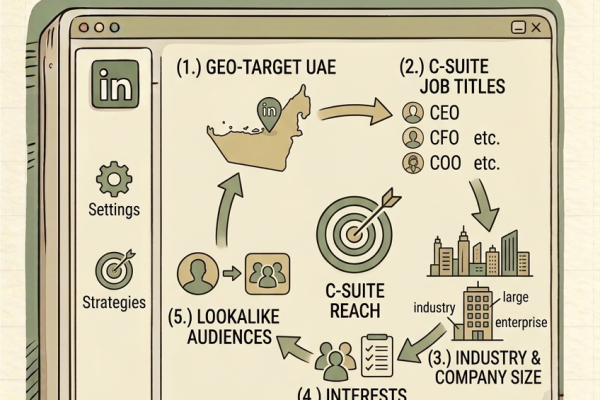
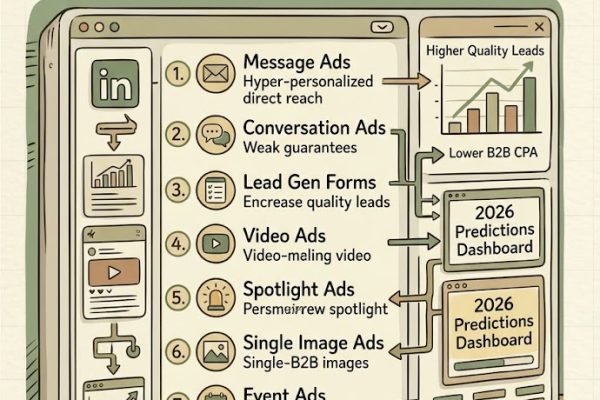
If you are building a full B2B paid acquisition strategy alongside Google Ads, our guides on LinkedIn ad formats for B2B and LinkedIn targeting strategies to reach C-suite decision makers in the UAE cover the demand generation side while Google Ads handles high-intent demand capture.
Ready to fix your B2B Google Ads bidding strategy? Book a free audit with our Google Ads team in Dubai.
Related reading: 10 Google Ads Mistakes That Kill B2B Campaigns | Google Ads Agency Dubai | LinkedIn Ads for B2B
Sources: Google Smart Bidding | WordStream Bidding Guide